Cloud computing is everywhere—whether you’re streaming a movie, storing photos, or running a business app. But not all cloud services are the same. Understanding IaaS, PaaS, and SaaS helps you pick the best solution for your project or business needs.
How Cloud Services Have Transformed Technology
Cloud services removed the need for bulky servers and expensive maintenance. Today, businesses scale faster, developers work more efficiently, and users enjoy software instantly—thanks to cloud technology.
What Is Cloud Computing?
Definition
Cloud computing delivers computing services over the internet, including servers, databases, software, analytics, and networking.
Types of Cloud Deployment
Public Cloud
Hosted by third-party providers and accessible through the internet.
Private Cloud
Dedicated infrastructure used by one organization.
Hybrid Cloud
A combination of both, offering flexibility and control.
Understanding IaaS (Infrastructure as a Service)
What IaaS Provides
IaaS gives you virtualized computing resources like servers, storage, and networking. Think of it as renting a data center instead of owning one.
Key Features of IaaS
Virtual Machines
Scalable computing power without physical hardware.
Storage Solutions
Highly available and secure cloud storage.
Networking
Virtual networks, load balancers, and firewalls.
Benefits of IaaS
- Full control of infrastructure
- Highly scalable
- Flexible for different workloads
- Cost-effective for large deployments
Popular IaaS Providers
- AWS EC2
- Google Compute Engine
- Microsoft Azure Virtual Machines
Understanding PaaS (Platform as a Service)
What PaaS Provides
PaaS gives developers a platform to build, test, and deploy applications without managing servers or infrastructure.
Key Features of PaaS
Development Tools
Integrated development environments, testing tools, and CI/CD.
Middleware
Software that connects applications with databases and servers.
Database Management
Managed databases without manual setup.
Benefits of PaaS
- Simplifies development
- Faster deployment
- Built-in tools improve productivity
- Ideal for collaborative teams
Popular PaaS Providers
- Google App Engine
- AWS Elastic Beanstalk
- Heroku
Understanding SaaS (Software as a Service)
What SaaS Provides
SaaS delivers ready-to-use software accessible through a browser or mobile app. You don’t install anything—just log in and use it.
Key Features of SaaS
Web-Based Applications
Access from any device.
Automatic Updates
Software is always up-to-date.
Subscription Models
Monthly or yearly pricing.
Benefits of SaaS
- Easy to use
- No installation or maintenance
- Affordable for individuals and businesses
- Accessible from anywhere
Popular SaaS Examples
- Gmail
- Salesforce
- Zoom
- Slack
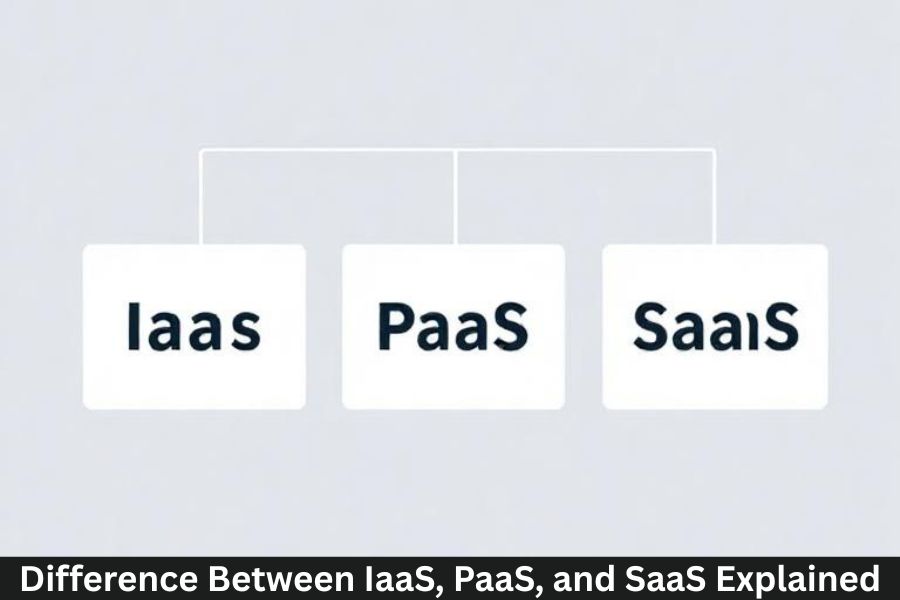
Key Differences Between IaaS, PaaS, and SaaS
Level of Control
- IaaS: Full control over servers and networks
- PaaS: Control over applications but not underlying infrastructure
- SaaS: Minimal control—just use the software
Target Users
- IaaS: IT admins, system architects
- PaaS: Developers
- SaaS: End-users
Use Cases
- IaaS: Hosting websites, storage, testing environments
- PaaS: Application development
- SaaS: Productivity, communication, CRM
How Each Model Handles Management
- IaaS: You manage applications and OS
- PaaS: You manage only the application
- SaaS: Provider manages everything
Real-World Examples
When to Choose IaaS
If you want full control and need flexible infrastructure—great for enterprises and startups building custom systems.
When to Choose PaaS
If you’re a developer building apps quickly without handling server setup.
When to Choose SaaS
If you just need software ready to use—email, CRM, communication tools, etc.
Advantages and Limitations of Each Model
IaaS Pros and Cons
Pros: High control, scalable, flexible
Cons: Requires technical expertise
PaaS Pros and Cons
Pros: Developer-friendly, fast deployment
Cons: Less control over environment
SaaS Pros and Cons
Pros: Easy to use, no maintenance
Cons: Limited customization
How to Choose the Right Cloud Model
Business Needs
Choose based on project size, team skills, and customization requirements.
Budget Considerations
SaaS is usually cheapest, IaaS can be costlier, PaaS sits in the middle.
Technical Expertise Required
Higher expertise = IaaS
Moderate = PaaS
Low = SaaS
Future of Cloud Service Models
Growing Trend Toward Hybrid Cloud
Companies combine models to get the best of all worlds.
Increasing Automation and AI Integration
AI-driven cloud services reduce manual work and improve performance.
Conclusion
IaaS, PaaS, and SaaS are three powerful cloud models that serve different needs. Whether you need full control, a developer-friendly platform, or ready-to-use software, each model has its strengths. Understanding the differences helps you choose the right solution—saving time, money, and effort while boosting performance and flexibility.
FAQs
1. Which cloud model is best for beginners?
SaaS is the easiest because it requires no technical setup.
2. Can a business use all three cloud models?
Yes! Many companies combine IaaS, PaaS, and SaaS for maximum efficiency.
3. Is SaaS cheaper than IaaS and PaaS?
Generally yes, because it requires no infrastructure management.
4. Do developers prefer PaaS?
Many do, as it simplifies coding and deployment workflows.
5. Is cloud computing secure?
Yes, but security also depends on user practices and proper configuration.